How to Connect Your Kick Account to Algochat (The New & Easy Way!)
Follow our simple step-by-step guide to connecting your Kick account to Algochat using credentials and 2FA. No technical experience required!
Hello everyone!
We have a massive, exciting upgrade to share with you. In the past, Algochat connected to your Kick account using a temporary "guest pass" (called a token). The problem with guest passes? They expire! This meant your accounts would randomly disconnect, and you had to keep manually fixing them.
Now, we are switching to a much smarter system. You just give us your "permanent key" (your credentials), and our system will quietly renew your guest passes in the background automatically. No more disconnections!
To benefit from this new system, you just need to update your accounts. If you have zero technical experience, don't worry—just follow these simple, step-by-step instructions.
Step 1: Download the Extension
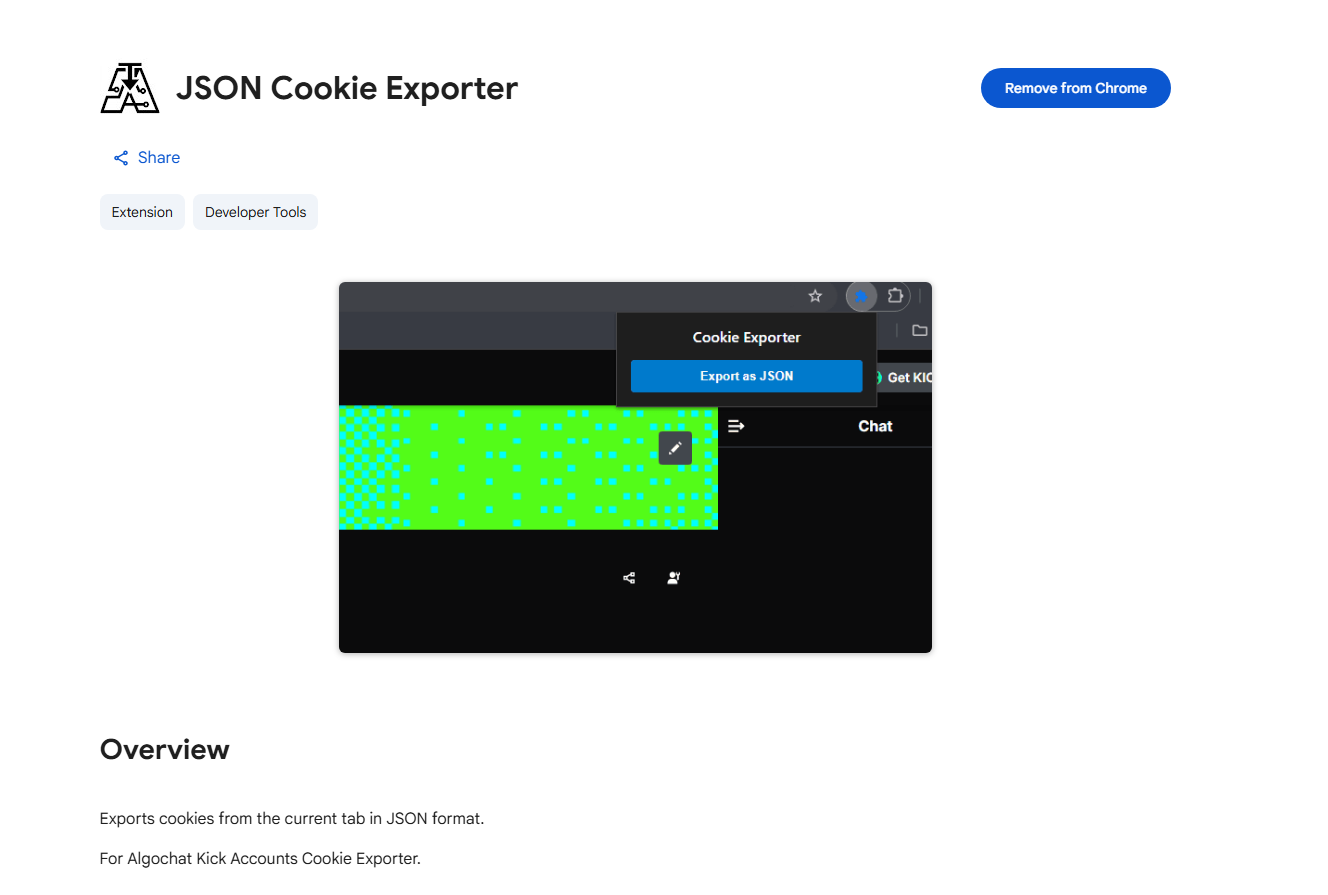
First, we need a simple browser extension to help link your account securely.
 Click to view full size
👉 Get the JSON Cookie Exporter Chrome Extension
Step 2: Give Permission for Incognito Mode
- Open a new tab and paste this:
chrome://extensions/?id=mpafakdfdciinghjabogpgbcngefmpga
- Toggle on the switch for Allow in Incognito.
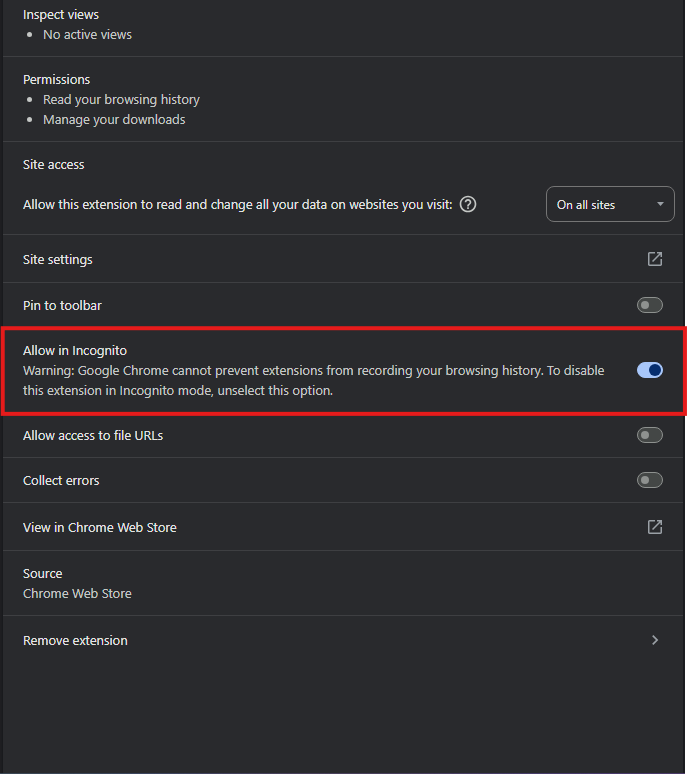 Click to view full size
Step 3: Get Your "Secret Key" from Kick
Next, we need to turn on an extra lock on your Kick account (called 2FA, or Two-Factor Authentication) and grab the key.
- Open your browser in incognito mode.
- Log in to your Kick account normally.
- Go to your Security Settings by clicking here: https://kick.com/settings/security
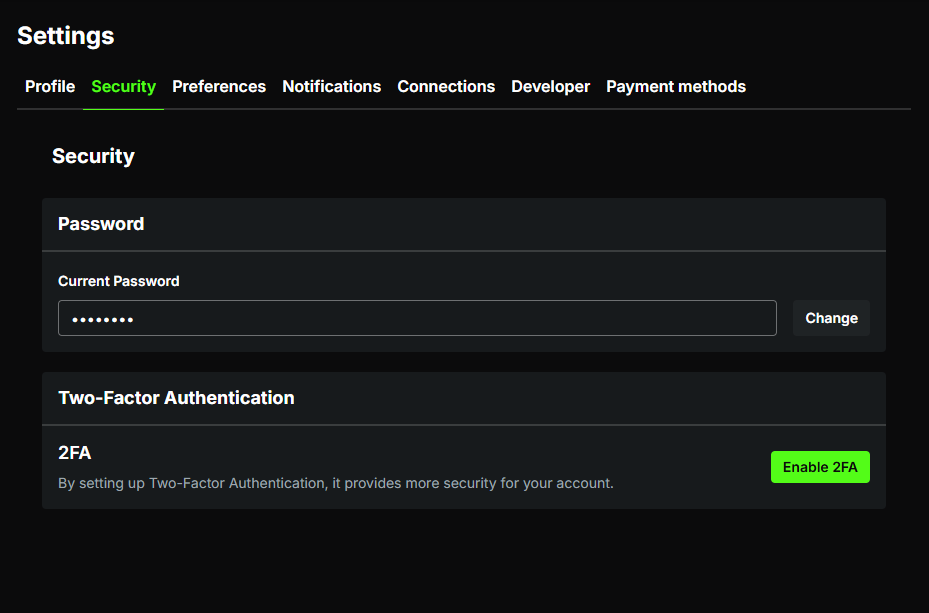 Click to view full size
- Click the "Enable 2FA" button.
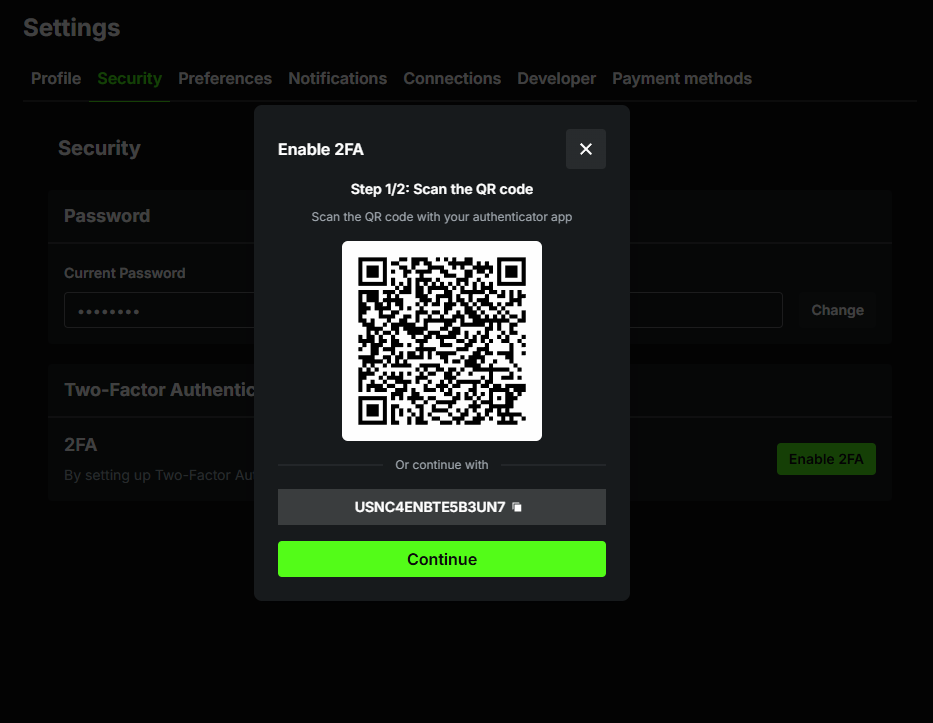 Click to view full size
- Copy your Secret Key. You will see a long mix of random letters and numbers on your screen (for example: USNC4ENBTE5B3UN7). This is your secret master key. Highlight it, right-click, and hit "Copy." Do not lose this code!
Step 4: Make Your 6-Digit Code
Now, we are going to use a simple website to turn that long master key into a 6-digit code.
- Visit the Code Maker website: https://2fa.fb.tools/
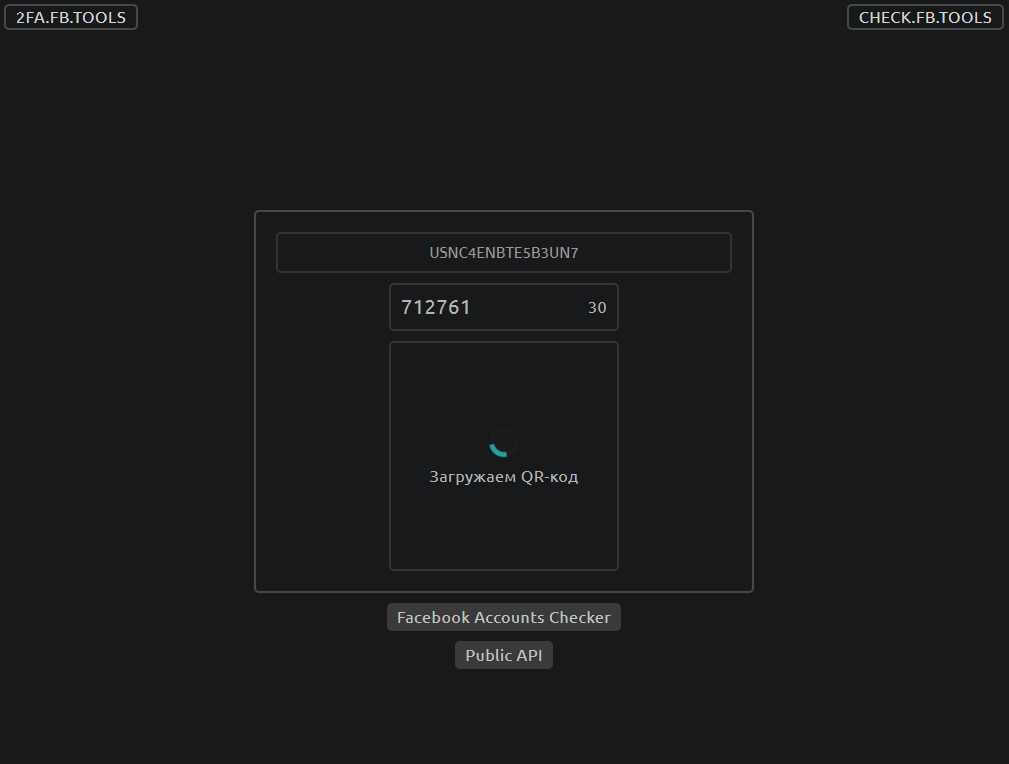 Click to view full size
- Paste your Secret Key. Right-click the empty box on the website and click "Paste" to drop in the long code you copied in Step 3.
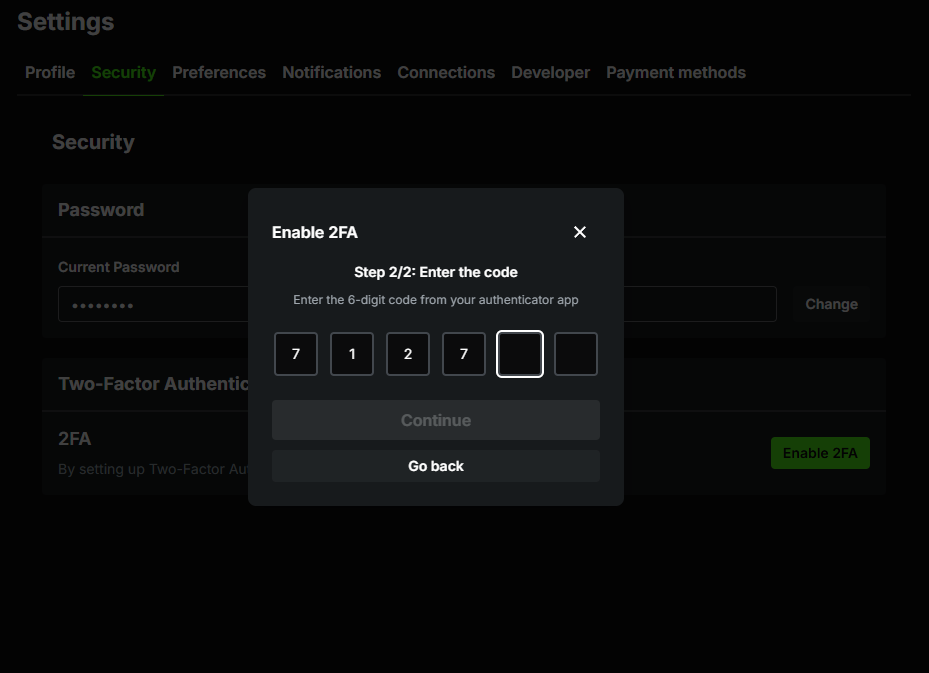 Click to view full size
- Copy the 6-digit code. The website will magically create a 6-digit number (for example: 712761). Copy this number.
- Finish the Kick setup. Go back to your Kick tab, click "Continue," and type in that 6-digit code to finish turning on your extra security!
Step 5: Exporting the Cookies
- Go back to your Kick profile. The URL bar should look something like
https://kick.com/username. - Click the JSON Cookie Exporter extension icon in your browser toolbar.

- Click "Export as JSON".
- The JSON file will download automatically. If you exported it correctly from your Kick profile, it should be named something like
username.json.
Step 6: Tell Algochat the Secret!
Now for the final step! We just need to give Algochat the master key so it can keep your account running 24/7.
- Go back to your Algochat dashboard and open your credentials area.
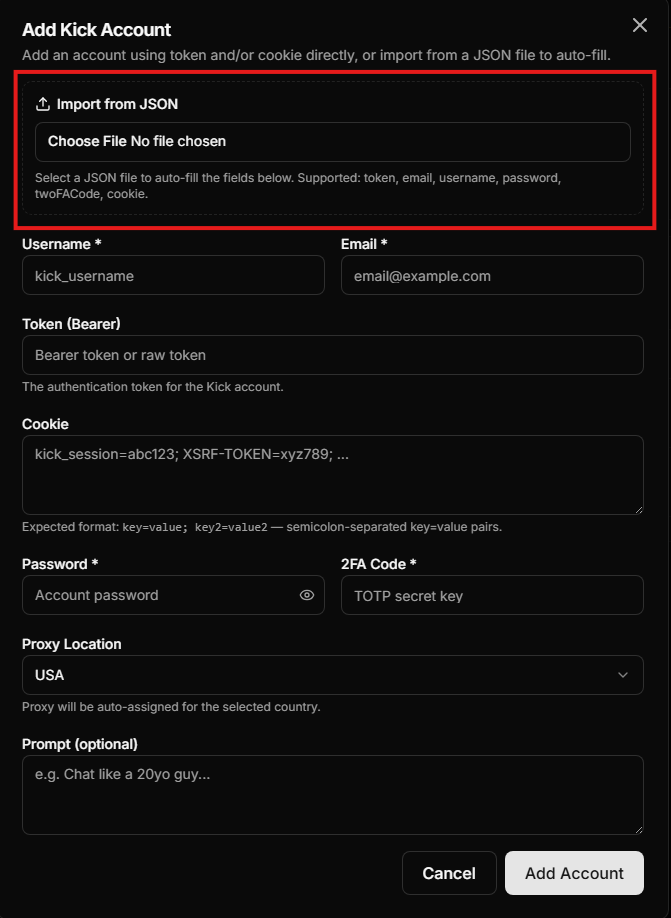 Click to view full size
- Click "Choose File" and select the
.jsonfile you downloaded from the extension in Step 5. This will automatically fill in the token and cookies. - Fill in the rest of the fields: your account email, password, and the 2FA Secret Key you got in Step 3 (the long code that looks like USNC4ENBTE5B3UN7).
- Click "Add account".
You are all set! 🎉
From now on, whenever Kick tries to disconnect your account, Algochat will use that secret master key to log right back in automatically. You don't have to lift a finger again!
🚨 Did you purchase an account from Algochat directly? If you bought an account from us and the password or 2FA code is not showing up on your screen, don't panic! Just head over to our Contact Page and send us a quick message. Our friendly team will be happy to assist you!